Jobtracker Pro
Field job tracking that keeps working when the signal doesn't.
Assign work, track shifts, collect photos, and run contractor crews — all in an offline-first PWA that syncs the moment the bars come back. Now with job costing, recurring tasks, and a Claude AI integration.
 Jobtracker Pro
Active shift
Mike · 3h 42m
What's inside
Built for how field work actually happens.
Offline-first PWA
Workers keep logging time and photos through dead zones. Everything syncs cleanly when connectivity returns.
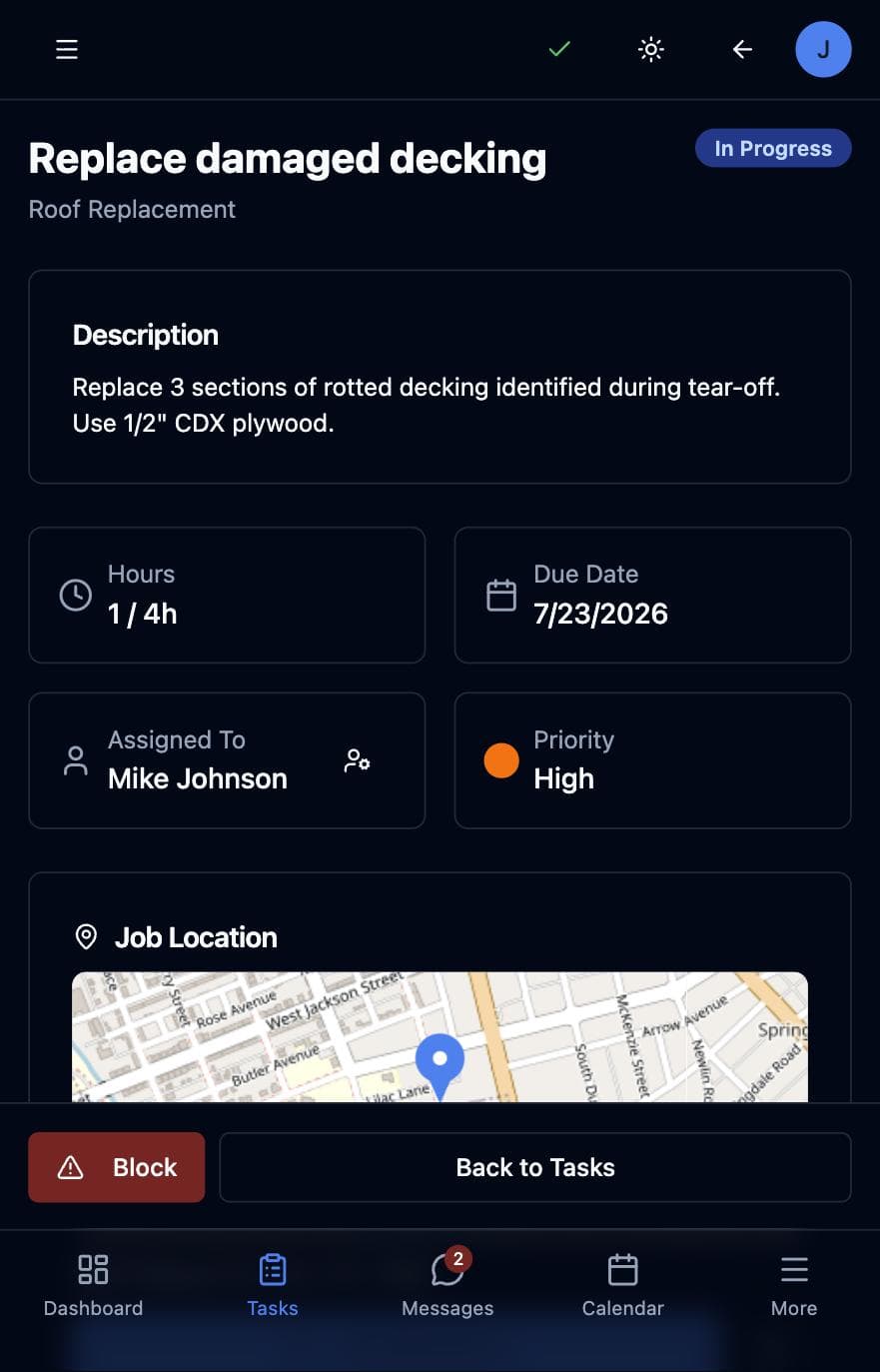
Map-based job dispatch
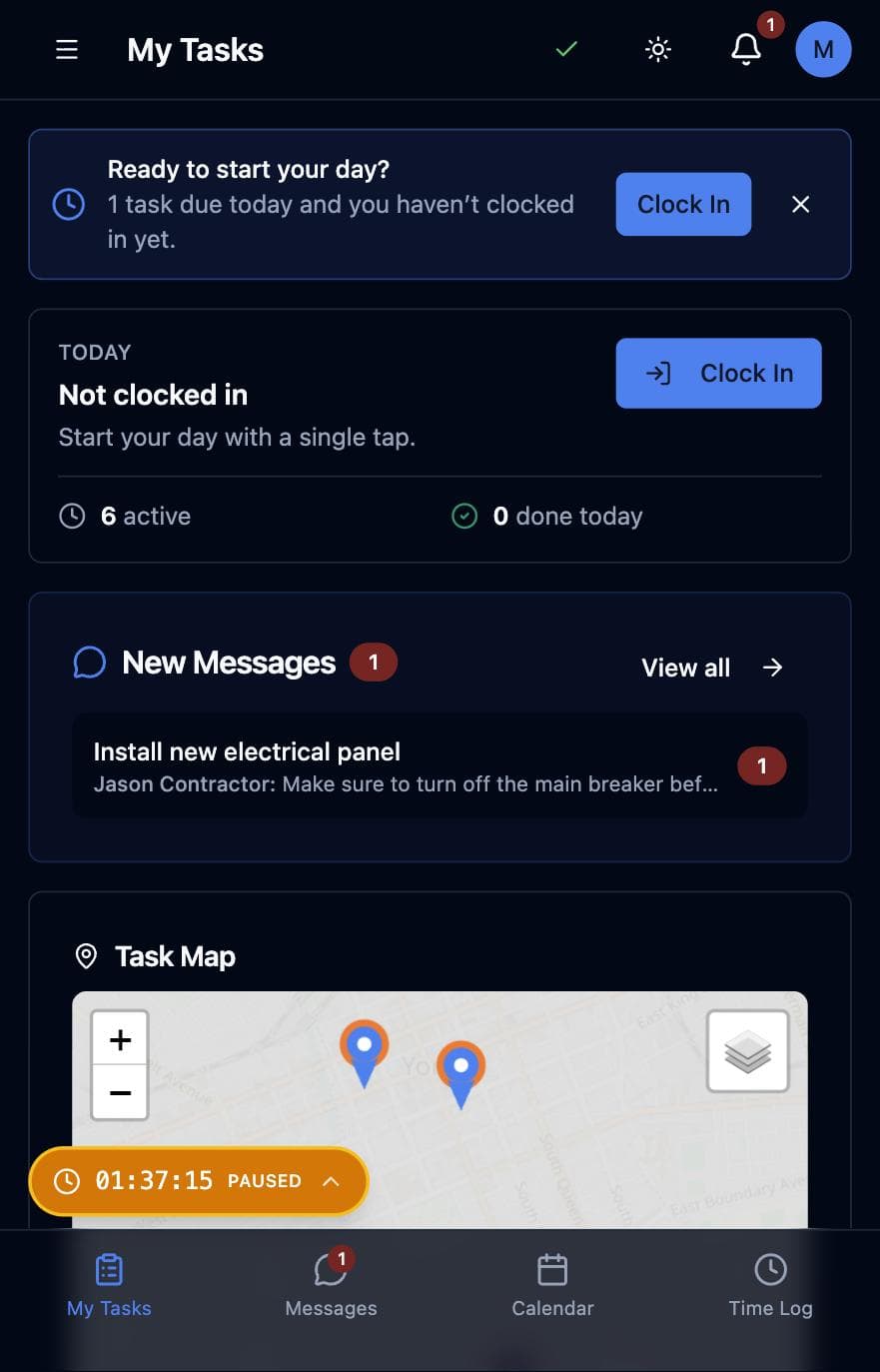
See every active job on a map with live worker locations, plus on-site weather right on the task.
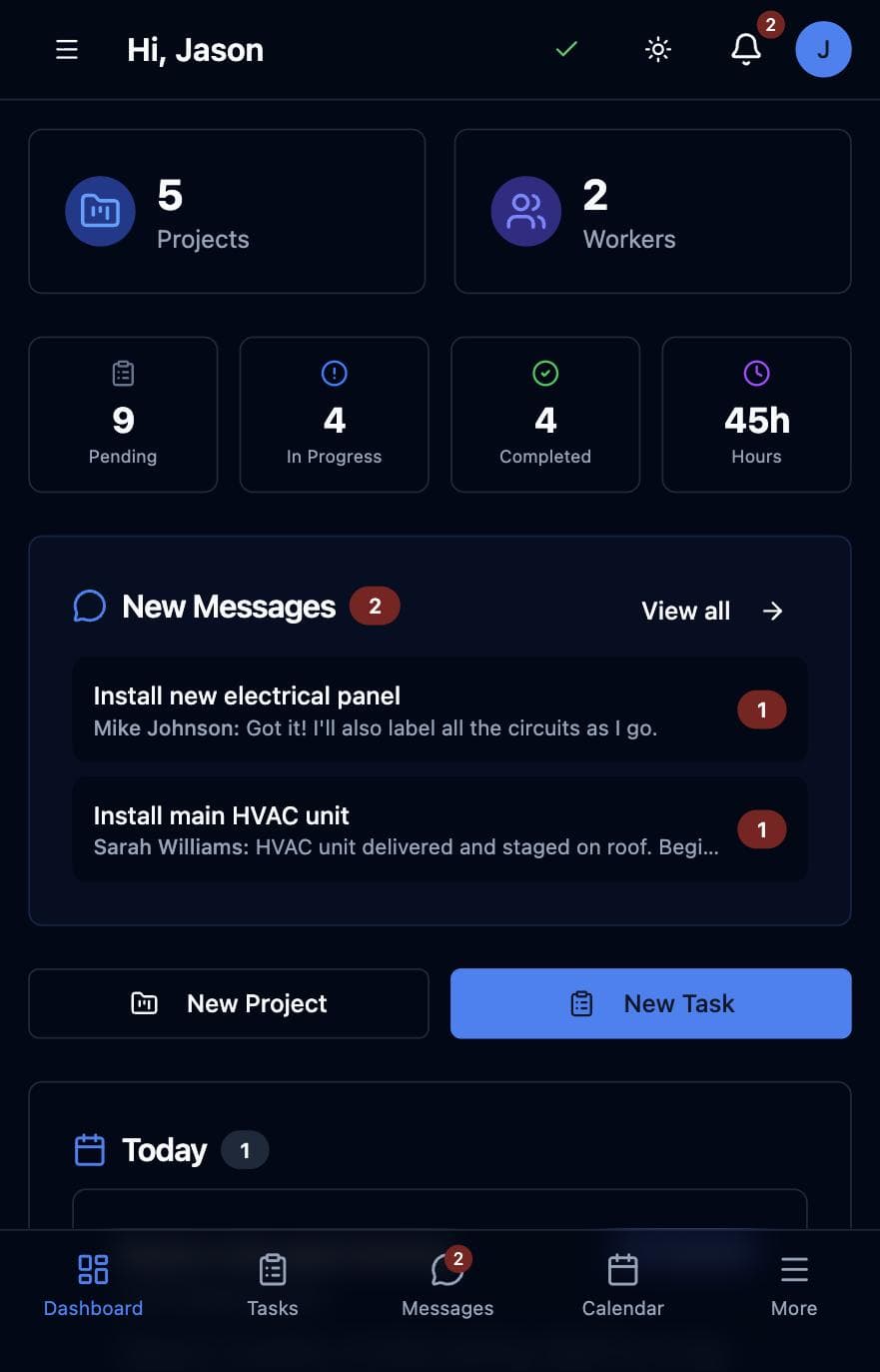
Shifts, clock-in reminders & timers
One-tap clock in/out with optional GPS, per-task timers, 9-hour overrun alerts, and a smart reminder when a worker has tasks due but hasn't clocked in.
Job costing built in
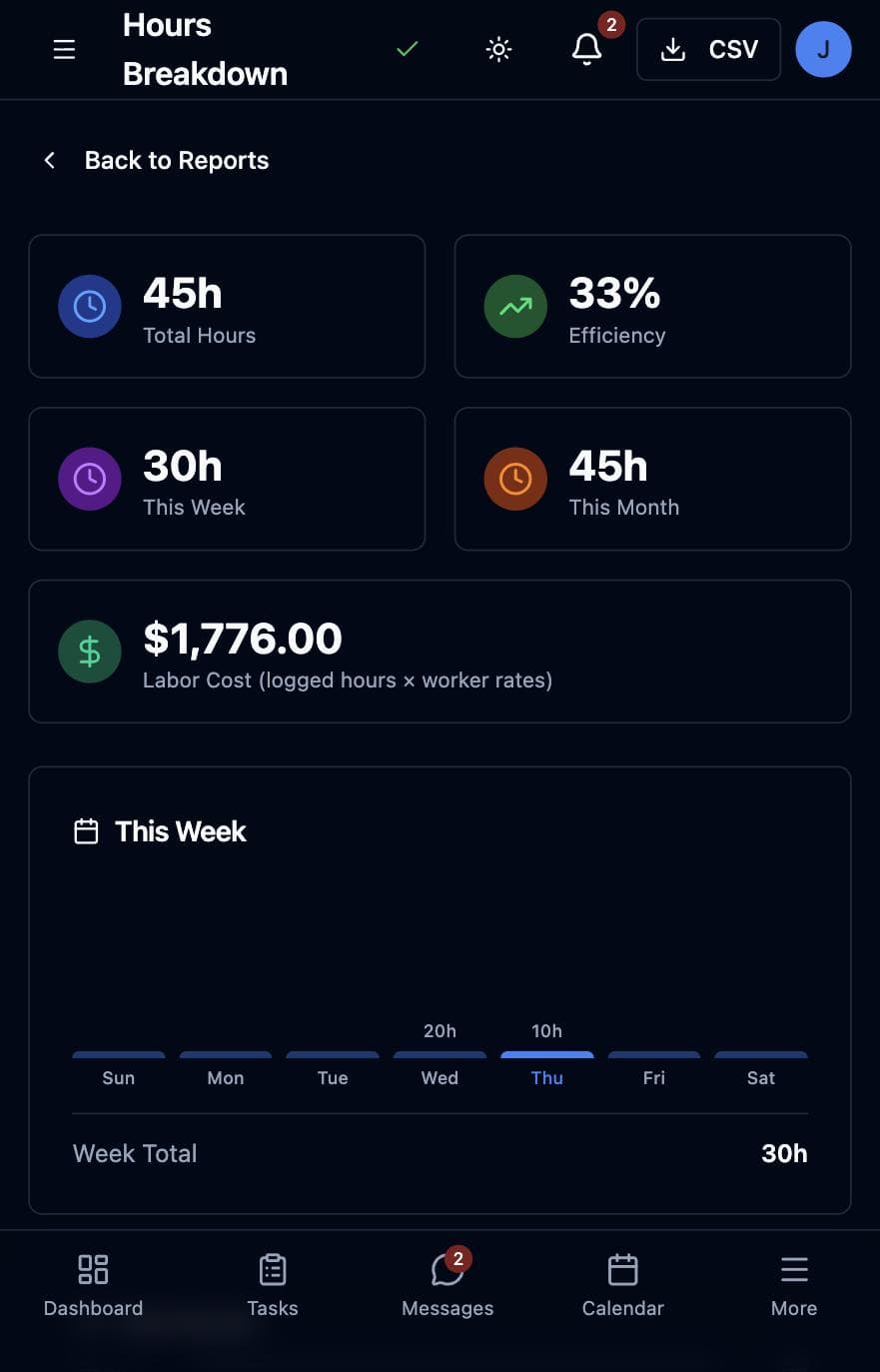
Set hourly rates per worker and watch labor cost roll up live across projects, reports, and CSV exports.
Templates & recurring tasks
Save any task as a template, pick it from a dropdown next time — or set it to repeat daily, weekly, or monthly and let JobTracker create it for you.
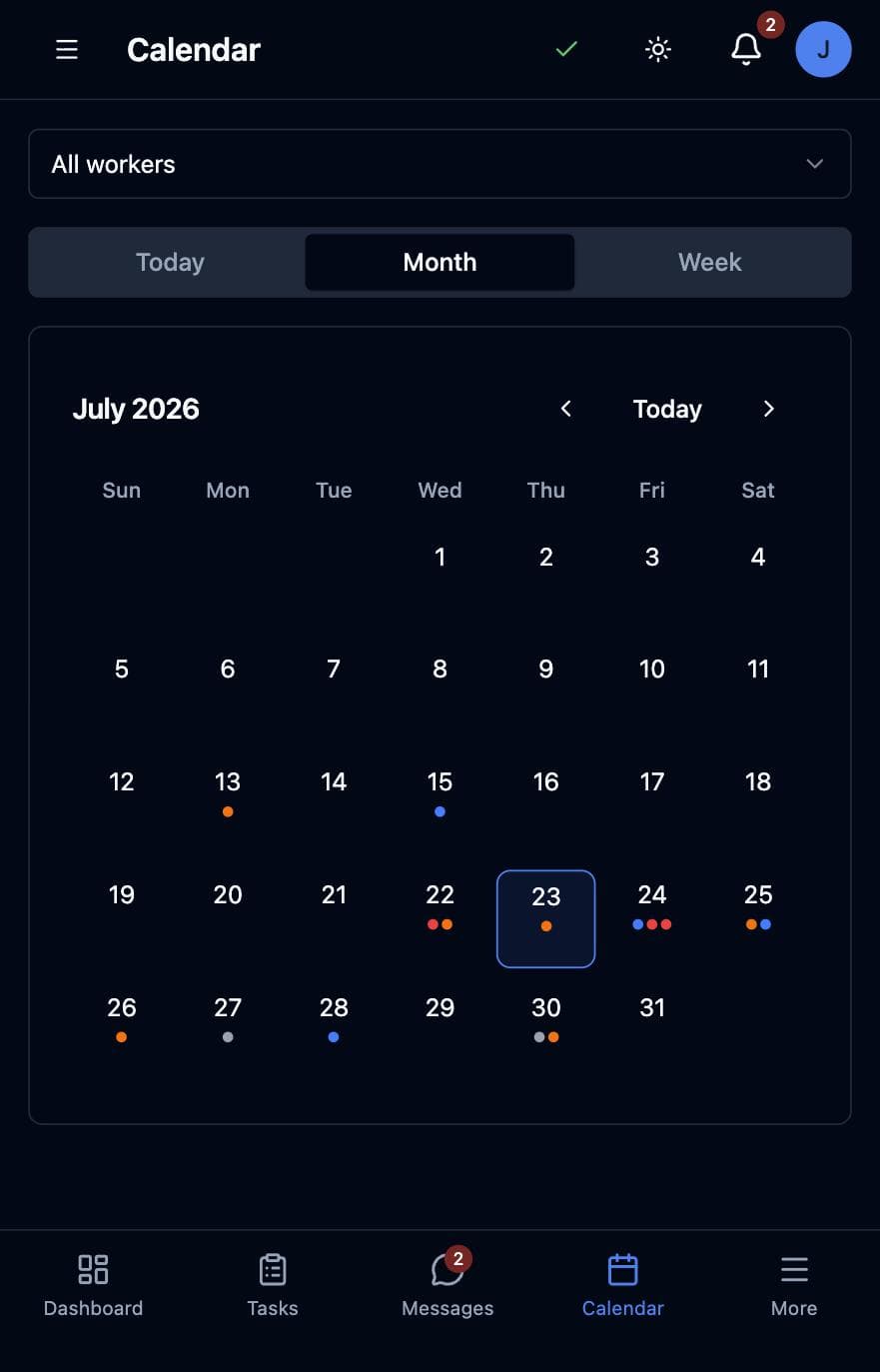
A calendar that dispatches
Month and week views with assignee avatars, per-worker filtering, and tap-a-day task creation.
Real-time chat + photo messages
Photos upload to Storage, auto-compress, and land in the task thread for the whole crew to see.
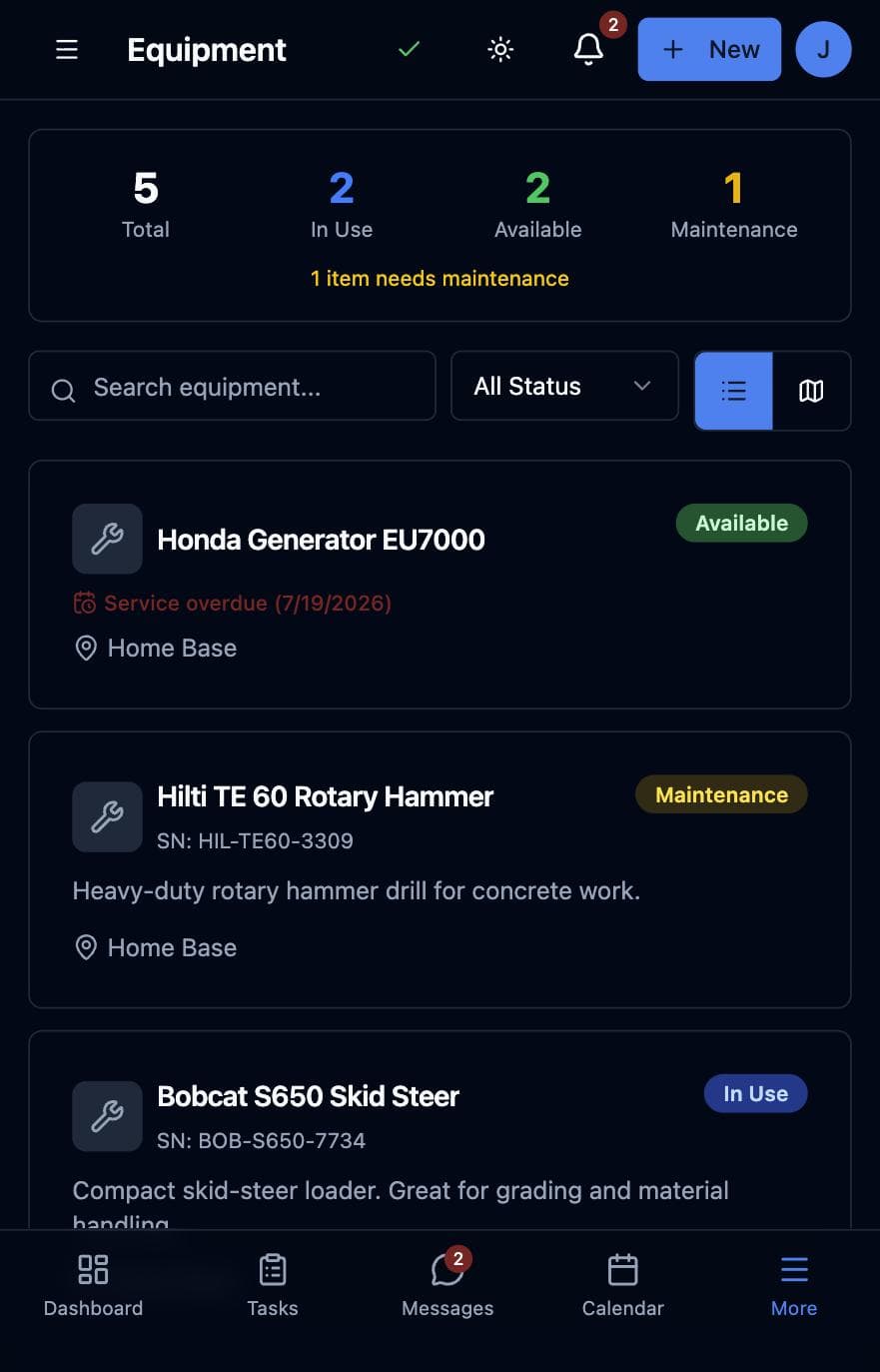
Equipment with a memory
Track machines, manuals, and per-equipment checklists — and get a push when service comes due.
Push done right, on every phone
iOS and Android home-screen push with multi-device support — no App Store required. Contractors see the whole company; workers see their own work.
See it in action
One app, both sides of the crew.
Who it's for
Teams running work outside the office.
- Residential & commercial contractors
- Property management crews
- Field service dispatchers
- Any team where the office isn't where the work is
New — AI integration
Run your crew from Claude.
The JobTracker Pro MCP server connects Claude Code to your company. Ask Claude to create projects, assign tasks (your workers get the normal push), invite new workers, message a job thread, or pull hours and labor-cost reports — using your own JobTracker login, scoped to your company by the same security rules as the app.
- • “Create a task ‘Replace gutter section’, assign it to Mike, due Friday.”
- • “What's my labor cost this week, per worker?”
- • “Invite a new worker at 717-555-0142.”
Requires Node.js 20+ and a JobTracker Pro contractor account. Setup instructions included in the download.
One-line setup
claude mcp add jobtracker \
  -e JOBTRACKER_EMAIL=you@yourco.com \
  -e JOBTRACKER_PASSWORD=... \
  -- node ~/jobtracker-pro-mcp/dist/index.js
Then just ask
> How many hours did each worker
  log this week, and what did
  labor cost me?
Ready to try it?
Launch the web app and install it to your home screen — no app store, no sign-up friction.